Aunsight Intelligence Service: Reveal
New Bookmarking Feature
The section that formally used to house recently opened reports has been repurposed to a bookmarking section. This allows users to prioritize the reports that matter most for quick navigation.
Adding Reports to the Bookmarking Section
From the reports list page users can simply click the bookmark icon next to the report they would like to save to their bookmarked section.
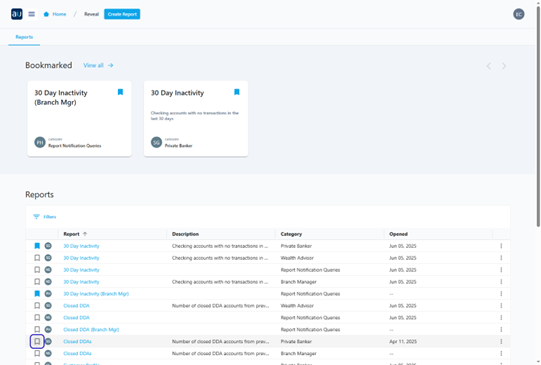
Once the bookmark icon is marked blue the report has been bookmarked.
Users can bookmark up to 25 reports. Once this limit has been met a notification will appear and no additional reports can be selected.

Accessing Bookmarked List
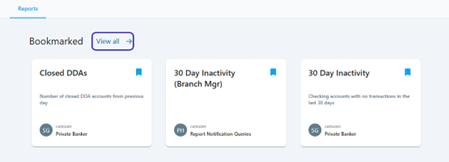
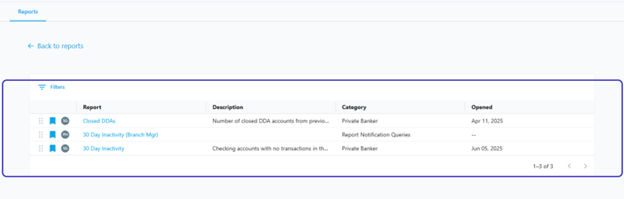
A convenient bookmarked list is available for users with multiple reports bookmarked and can be accessed via the “View All” button in the bookmarked section.
Reordering Bookmarked Items
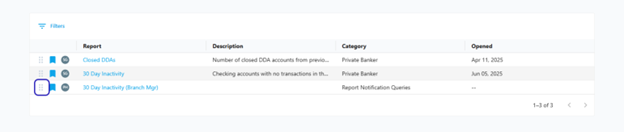
In the bookmarked list users can reorder their reports by clicking and dragging items from their respective drag handle.